The Blog

April 1, 2025

Entrepreneurs waste too much time juggling multiple AI prompts that deliver mediocre results. I found a better way. I built one single prompt that adapts to any business problem—whether it’s marketing, strategy, operations, finance, or customer research. It acts like an entire executive team at your fingertips. This is the only AI prompt you need because it thinks like a founder. Below, I’ll walk you through how it works, why it works, and how to customize it for your unique challenges.

Introduction to the single AI prompt for entrepreneurs

Why One Executive Team Prompt Beats a Dozen Random Prompts

Most entrepreneurs face the same problem: they don’t have the right talent on tap when they need it. Even if you have people in place, they’re not always available when you’re brainstorming at 2 AM or need a quick second opinion on a wild idea. What if you had access to the best thinking of the best people, instantly?

That’s the concept behind this prompt. Instead of juggling dozens of disconnected prompts, you create ONE prompt that builds a virtual executive team inside your AI platform—whether that’s ChatGPT, Claude, or another AI.

This prompt acts like a company in a box. It asks you eight key questions to build a company brief, then recommends the first virtual executives you should hire. Those executives become AI personas you can interact with repeatedly, each with its own memory and context. You can ask your VP of Marketing about the best ad strategy, then check with your CFO if the budget makes sense. They talk to each other through you, just like a real executive team.

Concept of a company in a box with virtual executive team

Building Your Company Brief: The Foundation of Your Virtual Team

The first step is to feed the AI enough context about your company so it understands your mission, vision, products, services, financials, and challenges. This company brief forms the base for all future conversations with your AI executives. The better your input, the better the output.

For example, I used Willy Wonka’s chocolate company as a test case:

  • Company Name: Wonka Industries
  • Mission: Deliver magical confections that spark childlike wonder every day.
  • Vision: A world where joy is as common as chocolate.
  • Products & Services: Various chocolate treats including the Everlasting Gobstopper.
  • Annual Revenue: Significant, but your numbers can be zero. The AI adapts.
  • Year-over-year growth: 12%
  • Biggest Financial Pain: Volatile cocoa prices and safety issues from experimental products.

(The above is NOT the prompt, it’s a summary – get the full prompt free at CEOworkbench.com)

You can be as detailed or brief as you want. I often dictate 20 minutes of notes or paste in financial reports and marketing campaigns. The more you give it, the smarter your AI team gets.

Filling out company brief with mission, vision, and key metrics

How AI Recommends Your First Virtual Executives

Once the AI has your company brief, it suggests the key roles you need to fill. For Wonka Industries, it recommended roles like VP of Marketing and Chief Financial Officer. These aren’t just titles—they come with mandates and priorities tailored to your business context.

The AI doesn’t just throw out generic roles. It factors in company size, growth rate, financial challenges, and product specifics. It then builds virtual executives who know your business and can act accordingly.

AI-generated company brief with recommended roles

Creating Your Virtual Executives

Next, you take the recommended roles and turn them into AI personas. I use a prompt template that tells the AI its role, the company it works for, its mandate, and then pastes the company brief as essential context.

For example, there’s the prompt for the VP of Marketing at Wonka (again, you can get it free at CEOworkbench.com)

When you run this prompt, the AI produces a detailed response outlining the VP’s top priorities for the next seven days, such as finalizing product positioning, locking in budgets, and launching ad campaigns. It even suggests metrics like customer acquisition cost (CAC) and strategies to reduce it.

If something is off, you correct it. For example, I told the AI that we don’t run YouTube ads, only Facebook, and it updated the strategy accordingly. You can also ask your AI executives to explain jargon like CAC without needing to Google it.

AI-generated VP of Marketing priorities and strategy

Building the CFO and Having Your Virtual Executives Collaborate

The same process works for other roles. I created a CFO for Wonka with a mandate to manage cash flow, hedge risks like volatile cocoa prices, and monitor runway. The AI gave me a seven-day priority list including a “rainbow sugar hedge strategy” and cash on hand details.

Here’s where it gets interesting. I asked the CFO to review the VP of Marketing’s proposed incremental ad budget. The CFO analyzed the cash position, customer acquisition cost benchmarks, and recommended conditional approval with staged spending.

Then I relayed the CFO’s feedback back to the VP of Marketing. The AI executives started an internal dialogue, providing layered insights. This back-and-forth simulates how real executives would discuss decisions.

CFO evaluating marketing budget and providing conditional approval

Why This Beats Random Prompts and How It Scales

Most AI users run a dozen unrelated prompts and start fresh every time. That wastes context and time. Here, each executive chat has its own memory. The VP of Marketing remembers previous conversations. The CFO remembers their last financial report. When you have a new problem, you consult the right executive with full context.

This method keeps your company brief separate and clean, so your strategy doesn’t get mixed up with personal or other unrelated chats. Your virtual executives get smarter over time as you feed them more info.

It’s not magic. The AI won’t nail numbers or strategy perfectly on day one. But that’s no different from hiring real people. They need time to learn your business. Use dictation or paste detailed notes to train your AI team quickly. You can have a trained virtual executive team in days, not months.

This approach doesn’t replace real experts. It accelerates your decision-making and idea validation before you chew up your human team’s time. It lets you test strategy, check risks, and challenge assumptions in a low-cost, fast way. Then you come to your real team with a clear plan that’s already been vetted.

How to Get Started and Where to Find the Prompts

You can download the full set of prompts for free at CEOworkbench.com. They include the company onboarding prompt and individual executive role prompts. You can use any AI platform you prefer. I use ChatGPT Projects to organize mine, but it’s optional.

Why This Matters for Serious Entrepreneurs

If you’re serious about scaling your business, this prompt framework puts you in control. You get instant access to an aligned, data-driven executive team without the overhead of hiring. You get clarity on priorities, risks, and strategy. You avoid wasting time on disjointed AI prompts that don’t talk to each other.

Use this approach to:

  • Validate new ideas before committing resources.
  • Test marketing strategies without guesswork (for example, see my YouTube ads crash course).
  • Keep your executive team aligned on updated company info.
  • Make faster, smarter decisions with layered expert input.

This method is about discipline, not hype. It’s about cutting through the noise to get straight answers that align with your business reality.

Next Steps

Start by building your company brief. Use dictation if you want to speed it up. Paste in your financials, marketing data, and whatever else helps the AI understand your business. Then generate your first virtual executives and start asking questions.

Free shipping looks like a no-brainer to boost sales online. Customers love it. Sellers think it’s a win. But it’s not that simple. I’m Raj Jha, and I’ve spent years advising companies on real strategies that grow profits—not just sales numbers. Today, I’m breaking down why free shipping might be costing you more than it’s worth, and what you should do instead.

Why Free Shipping Isn’t the Golden Ticket

At first glance, free shipping seems like an easy way to remove friction and get more buyers. You drop the shipping fee, customers don’t feel the extra cost, and they buy more, right? The research tells a different story.

Researchers at Dartmouth’s Tuck Business School studied this in depth. They published their findings in the Journal of Marketing Research under the paper titled Free Shipping and Product Returns. The takeaway: free shipping encourages customers to make riskier purchases.

Riskier purchases mean customers buy things they usually wouldn’t. Why? Because the shipping cost, which acts as a small brake, disappears. Without that friction, customers gamble on products they’re unsure about.

Research findings on riskier purchases due to free shipping

More buyers sound good until you realize what happens next: returns shoot up. Riskier purchases lead to more returns. Customers try things out and send them back because they weren’t fully committed to the buy in the first place.

Here’s the problem: returns eat into your profits. They cost you shipping fees, restocking, and sometimes the product can’t be resold at full price. So, free shipping boosts sales but also boosts returns. You have to weigh these two forces.

High-Risk vs. Low-Risk Products: What You Sell Matters

The researchers divided products into two buckets:

  • High-risk products: Items hard to evaluate without seeing or touching them. Think jeans, bras, cosmetics, anything with fit, feel, or quality questions.
  • Low-risk products: Items where customers know exactly what they’re getting. Vacuum cleaner bags, storage boxes, mirrors—products with little guesswork.

Free shipping mostly pushes up purchases in the high-risk category. Customers are more willing to gamble on that $250 pair of boots if they don’t have to pay shipping. But they also return more of those risky buys.

Examples of high-risk products like jeans and cosmetics

If you sell products that need to be tried before buying, free shipping is a double-edged sword. You get more sales, but you also get more returns.

The Numbers Don’t Lie: Free Shipping’s Hidden Costs

The research showed free shipping increases order volume by 11%—a decent bump in sales.

But here’s the kicker: when you factor in the lost revenue from shipping fees and the cost of increased returns, your profits drop by 0.7%. That’s a net loss, not a win.

Statistics showing free shipping boosts sales but reduces profits

Compare that to other promotions like coupons, which have a very different impact.

Coupons vs. Free Shipping: What Actually Works

Coupons don’t just push high-risk purchases. They boost sales across the board—high-risk and low-risk items alike. That balanced growth means you’re not skewing your basket toward items prone to returns.

Because coupons don’t disproportionately encourage risky buys, your return rate doesn’t spike like it does with free shipping. That keeps your profit margins healthier.

Coupon promotions encourage balanced purchases

The bottom line: coupons stay profitable for sellers. Free shipping often doesn’t.

How to Decide What Works for Your Business

Don’t assume free shipping is right for you just because it’s popular. The key is to test and measure.

Step 1: Classify Your Products

Go through your product catalog. Split your items into high-risk and low-risk buckets. Ask yourself:

  • Which products need to be seen or touched to evaluate?
  • Which have fit, style, or color issues that are hard to judge online?
  • What does customer feedback and complaint data tell you about returns?

If your inventory leans heavily on high-risk items like fashion or gadgets with subjective quality, free shipping might do more harm than good.

Step 2: Run a Controlled Test

Run an experiment with your customers:

  • Offer free shipping to one group.
  • Offer a coupon (say, $10 off) to another group.
  • Track sales, returns, and net profit per customer over a month.

This isn’t guesswork. It’s data-driven decision-making. The Dartmouth study ran this on over 700,000 customers and proved it works. Your data will tell you what’s better for your shop.

Testing free shipping versus coupon promotions

Step 3: Adjust Your Strategy

If free shipping leads to higher returns and lower profits, pivot. Use coupons or tiered discounts instead.

Tiered discounts are simple: spend $50, get 10% off. These incentives keep sales up without flooding you with returns like free shipping does.

Measure, scale what works, and drop what doesn’t.

Don’t Default to Free Shipping

Free shipping looks like a win until you see the hidden costs:

  • Higher return rates
  • Lost shipping revenue
  • Lower net profits
  • Unpredictable, unsustainable growth

Instead, focus on smarter incentives like loyalty rewards, tiered discounts, and targeted promotions that build lasting customer value and steady profits.

What Comes Next

If you want to grow your online business, don’t fall for the free shipping trap. It’s not about more sales. It’s about better profits. Use data, test your offers, and most importantly, know your products. The right strategy depends on what you sell and how your customers behave.

For more insights on scaling your business the scientific way, visit the CEO Workbench. And if you want to dive deeper into improving sales and customer loyalty without sacrificing profits, check out my guide on testing your way to success.

Ignoring customer reviews isn’t just a missed opportunity; it can cost you sales. Studies show that responding to your reviews in the right way can boost ratings, increase conversions, and strengthen your reputation. Yet, most businesses either ignore reviews or respond incorrectly, inadvertently hurting their sales.

Researchers from USC and Boston University investigated whether replying to reviews actually impacts businesses. They focused on hotels on TripAdvisor, but the findings are applicable to any business that receives online reviews. Spoiler alert: responding to reviews does move the needle, but there’s a catch. It not only changes your ratings but also alters how customers review you, potentially increasing negative reviews. Stick around, as we’ll cover how to turn even negative reviews into a win for your business.

Reviews are Make or Break

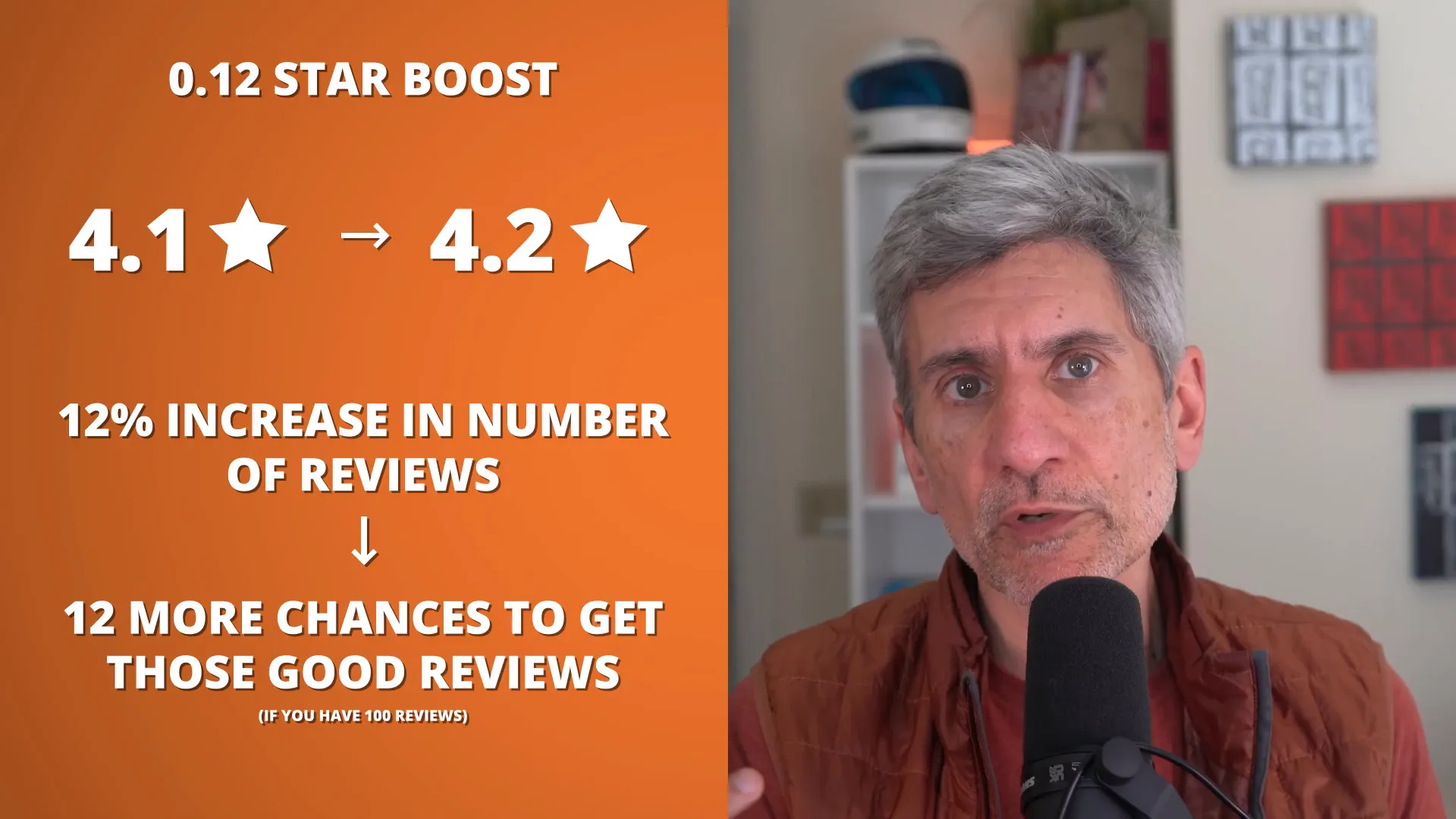
Online reviews are far from mere noise; they can make or break a business. The researchers found that when hotels began responding to reviews, their TripAdvisor ratings increased by an average of 0.12 stars. While that may seem small, it’s significant on a five-star scale where most ratings hover between 3 and 4.5 stars. This seemingly minor boost led to 27% of hotels improving their ratings by half a star within six months. Furthermore, they received 12% more reviews overall. More reviews and higher ratings? That sounds like a no-brainer, right?

However, there’s a twist. Responding to reviews not only garners praise but also leads to fewer, yet longer, negative reviews. Customers who feel scrutinized may either skip venting or decide to elaborate on their grievances, providing detailed accounts of their experiences. This dual outcome raises an important question: is responding to reviews worth it for your business?

TripAdvisor ratings increase after responding to reviews

What the Research Reveals

To understand this, we need to look at how the researchers conducted their study. They compared hotels that responded on TripAdvisor with their ratings on Expedia, where responses are rare. Using a method called “difference in differences,” they tracked ratings before and after hotels initiated responses. They even analyzed if guests who stayed at the same time rated differently based on whether they reviewed before or after a hotel responded.

The result was a clear increase: a 0.12 star boost and a 12% rise in the volume of reviews. This method can work for any business, whether you’re in retail, dentistry, or food service. The driving factor here is psychology. When you reply, customers feel heard. This acknowledgment makes them more likely to leave feedback—especially positive feedback. However, for negative reviews, it raises the stakes. Customers know you might call them out, which can lead to elaborate critiques.

Understanding the Trade-offs

What does this mean for your business? If you have a plethora of vague complaints, responding could help clarify those issues. However, brace yourself for more detailed critiques. The good news? You’ll likely receive fewer negative reviews overall, and the ones you do get will be longer and more constructive. This makes it easier to address specific concerns, which is beneficial for both you and future customers.

For instance, if you manage to get that 0.12 star boost, your rating might improve from 4.1 to 4.2 stars. While that’s not a massive leap, it can make you stand out from competitors. Additionally, that 12% increase in reviews means more opportunities for positive feedback. If you have 100 reviews, that’s 12 more chances to showcase your strengths or defend against negative comments.

Implementing a Review Response Strategy

So, how do you make this work without screwing it up? The research doesn’t provide a perfect response template, but it does hint at effective strategies. Here’s a three-step plan to respond like a pro:

  1. Reply to Everything: Yes, you read that right. Respond to positive, negative, and neutral reviews at about the same rate—around 31%. Every reply shows you’re engaged. Thank a five-star fan to keep them coming back and tackle the one-star rants to demonstrate transparency. Start with your most visible platforms—Google, Yelp, TripAdvisor—and respond to every review, even the older ones.
  2. Stay Professional: Negative reviews can become more detailed when you respond, as customers feel watched. Avoid getting defensive. Acknowledge their issue calmly, like, “We’re sorry that your meal was cold,” or “We’re sorry that shipping was delayed.” Offer a fix, a discount, or a promise to improve. This approach cuts short baseless complaints and builds trust with future readers of those reviews.
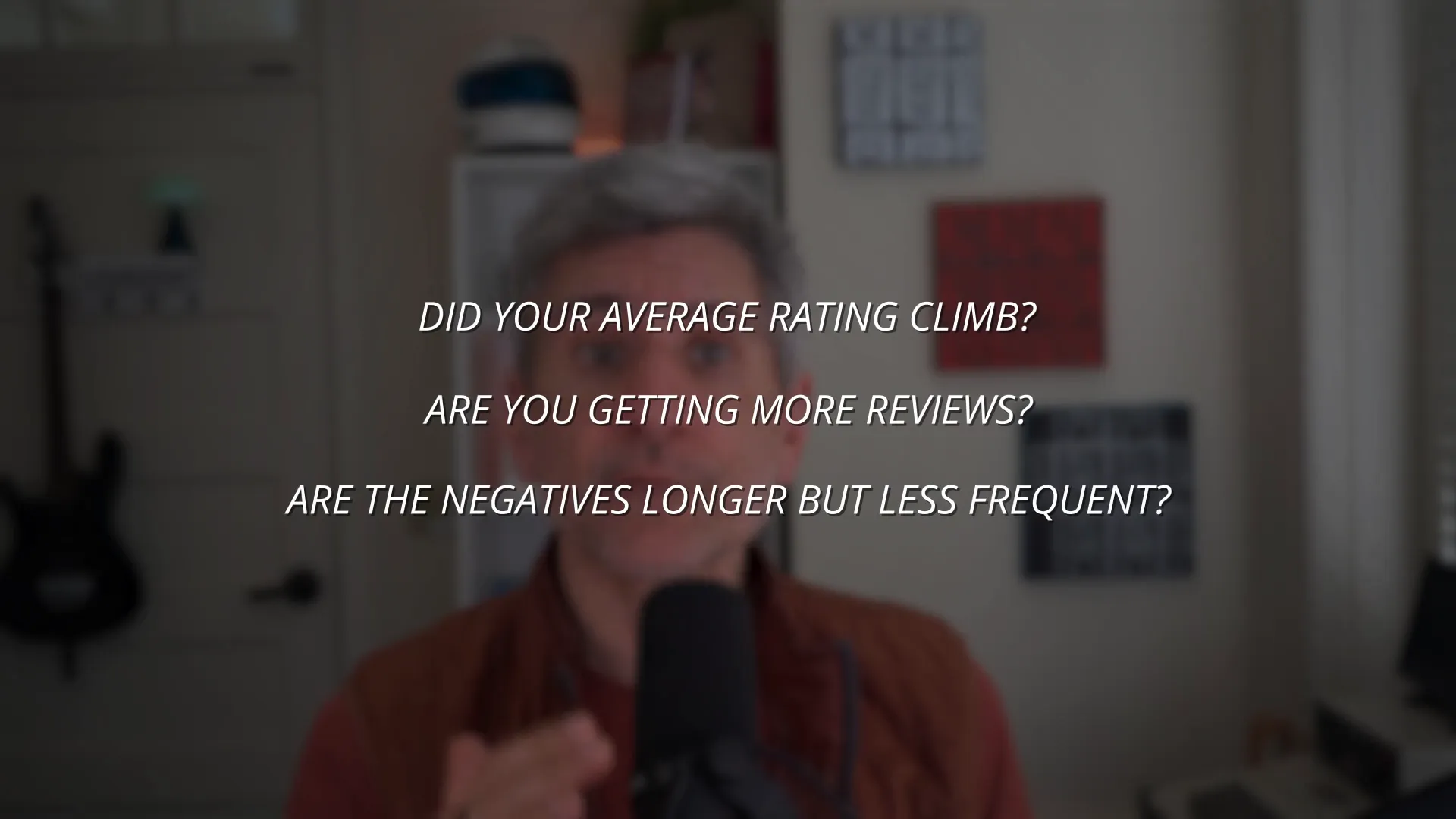
  3. Test and Track: This is not about guesswork. Understand what works for your business. Pick a 30-day window to respond to all reviews and measure your results. Did your average rating climb? Are you getting more reviews? Are the negatives longer but less frequent? The study shows that noticeable results can take about six months, but you can test faster than that.

Dealing with Longer Negative Reviews

One downside to this approach is that negative reviews may become more detailed, turning a simple complaint into a lengthy account of dissatisfaction. While that can be daunting, remember that the research indicates fewer negative reviews overall. Customers either skip venting or pour their hearts out in essays. For your business, this means you can choose between cleaner ratings with occasional deep dives or a pile of unchecked gripes.

Every review is an opportunity. It’s a chance to build trust, recover a dissatisfied customer, or showcase why people love your business. Responding isn’t merely about damage control; it’s about creating a strong, customer-focused brand that people trust over competitors.

What To Do Next

Responding to reviews isn’t just a nice-to-have; it’s essential. If you’re looking for a proven way to turn reviews into more sales, don’t miss the chance to implement this strategy. Remember, the goal isn’t just to manage your reputation; it’s to build a brand that resonates with your customers.

For more insights, visit the CEO Workbench for free resources on scaling your business scientifically: CEO Workbench. Also check out my book, The Business Unlock, for which shows how to set up your business for AI-ready scale.

Scroll to Top